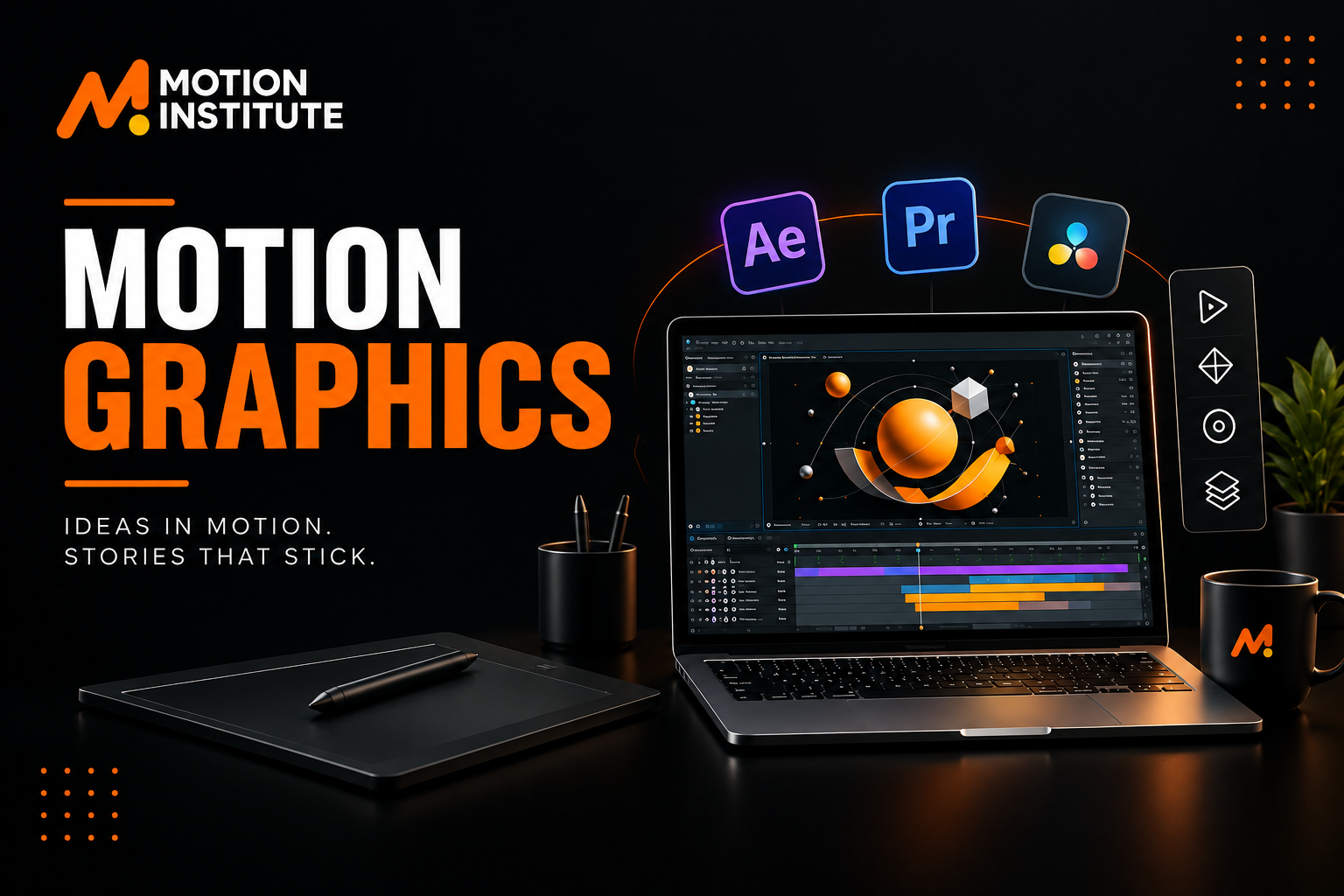
A logo that moves. Text that comes alive. An advertisement that grabs attention in the first few seconds. An explainer video that makes a complex idea easy to understand. That is the power of motion graphics and a motion graphics course can help you learn how to create these engaging visuals.
Today, people use motion design everywhere. You see it on Instagram Reels and YouTube videos. Ads, brand campaigns, and presentations also include it. Explainer videos and other digital content commonly include this. If you enjoy graphic design, animation, video, or visual storytelling, a motion graphics course can build your skills.
But learning motion graphics in Kotdwar is more than learning software. You need to understand design, timing, movement, typography, storytelling, and how to bring an idea to life.
This guide explains what a motion design course teaches. It covers the software you need. It also covers fees and course length. It explains career options and freelancing. It shows how to choose the right course after 12th.
What Is a Motion Graphics Course?
A motion graphics course teaches you to create animated visuals using graphic design, animation, text, and video editing. In simple words:
Motion graphics = graphic design + movement + storytelling.
Instead of keeping a graphic still, you add movement to make it more engaging. For example:
- Turn a static logo into an animated logo
- Turn plain text into moving text
- Turn a product image into an animated ad
- Turn icons into an explainer video
- Turn a social media post into a motion graphic
- Turn a presentation into an engaging visual story
A good course should teach you both creative ideas and practical skills.
Why Learn Motion Graphics?
Visual content is now an important part of online communication. Brands, creators, agencies, and businesses use animation to explain ideas, promote products, build their brand, and grab attention. Learning motion graphics can be useful if you plan to work in:
- Advertising
- Digital marketing
- Social media
- Video production
- Branding
- Entertainment
- Education
- Content creation
- Freelancing
- Creative agencies
It Combines Multiple Creative Skills
Motion graphics sits at the intersection of graphic design, animation, video, and visual storytelling.
- A graphic designer can use motion graphics to bring static designs to life.
- A video editor can use it to create better titles, transitions, animated graphics, and visual effects.
- A digital marketer can use it to create more engaging advertising and social media content.
That makes motion graphics a useful skill on its own—and a strong complement to other creative fields.
What Do You Learn in a Motion Graphics Course?
The course content can vary by institute, but a good course covers motion design basics. It also covers the tools used to create animations.
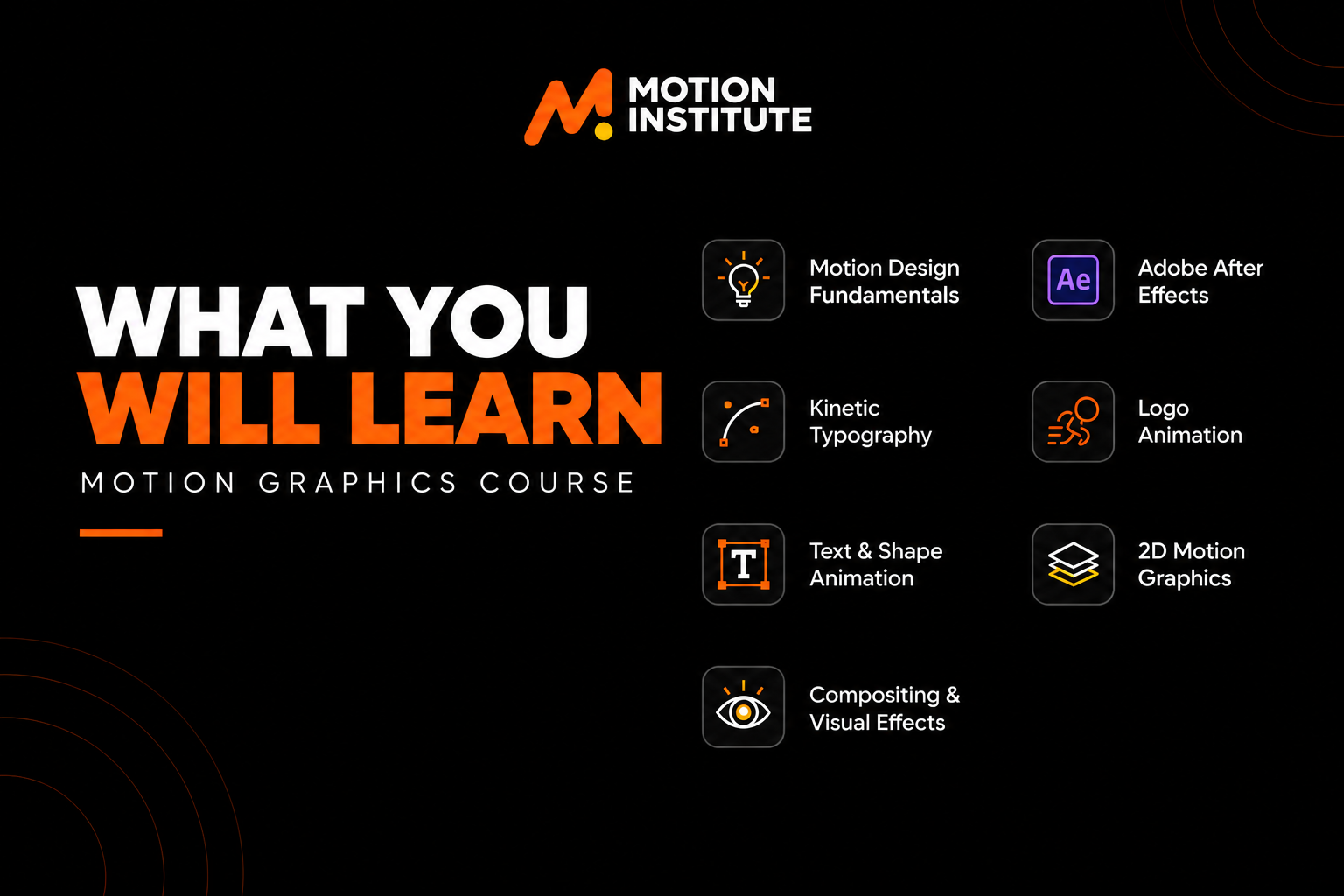
1. Motion Design Fundamentals
Before creating complex animations, you need to understand how movement should work. Important concepts include:
- Composition
- Visual hierarchy
- Timing
- Spacing
- Rhythm
- Scale
- Position
- Rotation
- Opacity
- Transitions
These principles help an animation feel smooth and intentional rather than just a collection of moving objects.
2. Adobe After Effects
Adobe After Effects is one of the most widely used tools for motion graphics, animation, compositing, and visual effects. A beginner may learn:
- Layers
- Keyframes
- Timeline
- Graph Editor
- Shape layers
- Masks
- Text animation
- Parenting
- Pre-compositions
- Effects
- Motion tracking
- Compositing
- Rendering
But knowing where every button is isn’t the real goal. The real goal is being able to take an idea and turn it into a finished visual.
3. Kinetic Typography
Kinetic typography is animated text that uses movement, timing, and visual design to communicate a message. You may have seen it in:
- Instagram Reels
- YouTube videos
- Advertisements
- Music videos
- Promotional videos
- Educational content
Good kinetic typography is not simply text moving around the screen. The movement should support the message.
4. Logo Animation
A static logo can be transformed into a short animated brand element. Logo animation can be used in:
- YouTube intros
- Brand videos
- Advertisements
- Social media content
- Presentations
- Promotional campaigns
Also a useful portfolio project for beginners.
5. Text and Shape Animation
Text and shape animation are among the building blocks of motion design. You can create:
- Animated titles
- Lower thirds
- Icons
- Callouts
- Infographics
- Social media graphics
- Promotional animations
Once these fundamentals are understood, more complex compositions become much easier to build.
6. 2D Motion Graphics
2D motion graphics combine graphic elements with animation to communicate information visually. Common examples include:
- Explainer videos
- Product animations
- Animated infographics
- Educational videos
- Social media content
- Brand presentations
7. Compositing and Visual Effects
Compositing is the process of combining different visual elements into one final composition. Depending on the course level, you may learn:
- Masking
- Layer compositing
- Green screen basics
- Motion tracking
- Background replacement
- Visual effects
- Image and video integration
Motion Graphics Course Modules: What Should You Look For?
No single syllabus exists that every motion graphics course must follow. Instead of judging a program only by the number of topics listed, look at whether those topics help you create real projects. A practical course may cover:
| Area | Skills You May Learn |
|---|---|
| Motion Design | Timing, spacing, composition, and movement |
| After Effects | Layers, keyframes, effects, and animation |
| Typography | Kinetic typography and text animation |
| Shape Animation | Shapes, icons, and graphic elements |
| Logo Animation | Brand-focused motion design |
| 2D Animation | Explainers and animated graphics |
| Compositing | Masks, layers, and visual integration |
| Motion Tracking | Attaching graphics to moving footage |
| Social Media Motion | Reels, ads, and short-form content |
| Video Integration | Combining editing and motion graphics |
| Portfolio Projects | Practical creative assignments |
The important question isn’t “How many modules are there?”
It’s: “What will I actually be able to create after completing them?”
Motion Graphics vs Video Editing: What’s the Difference?
Motion graphics and video editing often work together, but they solve different problems. Video editing mainly involves arranging, trimming, refining, and combining recorded footage into a finished video.
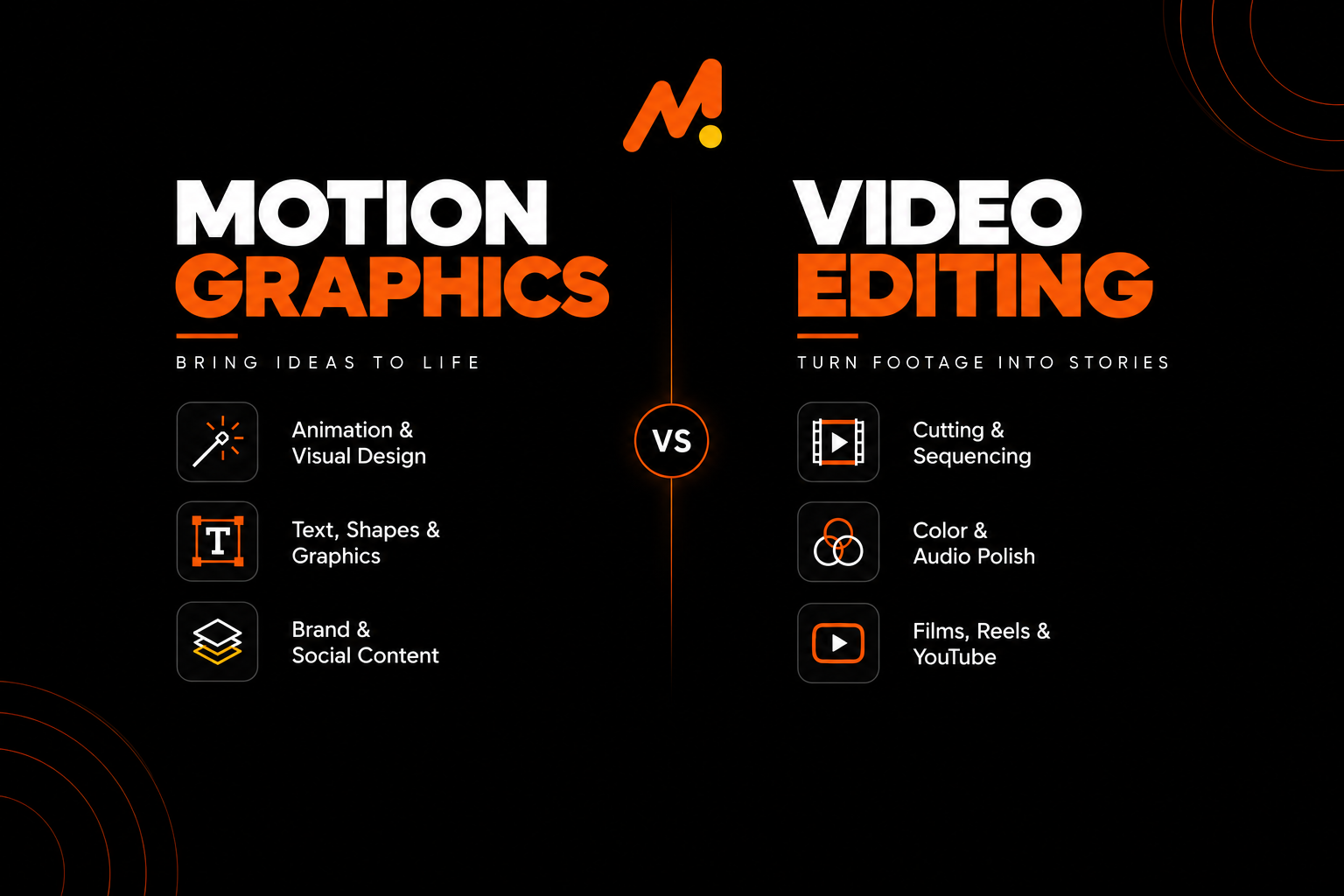
Motion graphics focuses on creating and animating graphic elements. For example, in a promotional video:
The video editor might arrange the footage, improve the pacing, edit the audio, and create the final sequence. The motion designer might create:
- Animated titles
- Logo animation
- Infographics
- Text callouts
- Animated icons
- Lower thirds
- Visual effects
That’s why learning video editing and motion graphics helps students who want to work in digital content production.
Motion Graphics Course After 12th
Yes, you can pursue a motion graphics course after 12th. You don’t need a specific stream to start learning motion design. If you’re interested in design, animation, video, advertising, or creative work, you can explore this field. A simple learning path can be:
Design Basics → After Effects → Animation Principles → Practical Projects → Portfolio → Specialization
Starting after 12th also gives students time to develop a portfolio before entering the professional world. In creative careers, your portfolio can show what you can actually create.
Who Can Join a Motion Graphics Course?
A motion graphics design course can be suitable for:
- Students after 12th
- College students
- Graphic designers
- Video editors
- Content creators
- Freelancers
- Digital marketers
- Advertising enthusiasts
- Aspiring animators
- Creative professionals
- People looking for a career change
You don’t need to be an expert in design or animation to start. Basic computer knowledge and an interest in visual creativity are enough to begin at the beginner level.
Motion Graphics Course Fees
Motion graphics course fees in India depend on the course level and duration. They also vary by software covered, training, and projects. Fees can differ for online and classroom programs.
| Motion Graphics Course Type | Typical Duration | Approx. Course Fees |
|---|---|---|
| Basic Motion Graphics Course | 1–2 Months | ₹8,000 – ₹15,000 |
| Professional Motion Graphics Course | 3–4 Months | ₹15,000 – ₹30,000 |
| Advanced Motion Graphics Course | 4–6 Months | ₹25,000 – ₹40,000 |
| Advanced Diploma / Comprehensive Program | 6+ Months | ₹35,000 – ₹60,000+ |
In general, a motion graphics course in India costs about ₹8,000 to ₹60,000 or more. The price depends on the course level and training included.
What Determines Motion Graphics Course Fees?
The final fee can vary based on:
- Adobe After Effects training
- Course duration
- Number of practical projects
- Motion design and animation topics
- Compositing and visual effects
- Portfolio development
- Classroom or online training
- Trainer support
- Certification
- Career guidance
A lower fee does not necessarily mean better value. When comparing courses, look at the skills, practical exposure, projects, software training, and support included in the program.
The better question is:
“What skills, practice, and support am I getting for the fee?”
These figures are approximate market-level ranges and are not fixed fees for every institute. For the latest Motion Institute course fees, students should confirm the current fee structure directly with the institute.
How Long Does a Motion Graphics Course Take?
Motion graphics course duration depends on the course level and practical training. A short beginner course may teach basic After Effects and animation. An advanced course may cover motion design, compositing, visual effects, and portfolio projects.
But completing a course and becoming good at motion graphics are different. You can learn the basics quickly, but improving your animation, timing, design, and creative skills takes regular practice.
The software can be learned. The craft takes repetition.
What Can You Create After Learning Motion Graphics?
Once you understand the fundamentals, you can work on a wide variety of creative projects. For example:
- Animated logos
- YouTube intros
- Social media animations
- Instagram Reels graphics
- Promotional videos
- Explainer videos
- Kinetic typography
- Animated infographics
- Product animations
- Title sequences
- Lower thirds
- Motion posters
- Advertisement graphics
- Presentation animations
These projects can also become part of your portfolio.
Career Opportunities After a Motion Graphics Course
Motion graphics can open different creative career options based on your skills and interests. Some common roles include:
- Motion Graphic Designer
- Motion Designer
- 2D Motion Designer
- Visual Designer
- Multimedia Designer
- Animator
- Video Editor
- Compositing Artist
- Creative Designer
- Visual Content Designer
Some professionals focus only on motion design. Others combine it with video editing, graphic design, animation, or visual effects.
Motion Graphic Designer Course: What Should You Learn?
If your goal is to become a motion graphic designer, don’t stop at learning After Effects. You should gradually develop:
Design + Animation + Typography + Timing + Storytelling + Software + Portfolio
That’s the combination that turns software knowledge into useful professional skill.
Motion Graphics for Freelancing
Motion graphics can also be a valuable freelancing skill. Freelancers may work on:
- Social media animations
- Logo animations
- YouTube graphics
- Promotional videos
- Explainer videos
- Animated advertisements
- Motion posters
- Product animations
Freelancing is not just about creating attractive visuals. You also need to learn client communication, project briefs, deadlines, pricing, revisions, file delivery, portfolio presentation, and project management. Good creative work gets attention. Good communication helps you keep clients.
Motion Graphics Course in Kotdwar
If you’re searching for a motion graphics course in Kotdwar, a local classroom program can be convenient. It works well if you prefer face-to-face learning and regular practice.
Motion Institute in Kotdwar provides a local environment for students interested in creative and digital skills. Before choosing a motion graphics institute in Kotdwara, don’t look only at the location.
Check:
- Which software is taught?
- How deeply is After Effects covered?
- Are practical projects included?
- Is portfolio development part of the training?
- Can you interact directly with trainers?
- How much hands-on practice do you provide?
- What are the current fees and duration?
The right course should help you progress from watching tutorials to actually creating work.
Motion Graphics Course in Uttarakhand
Students looking for a motion graphics course in Uttarakhand can choose online or classroom training. Motion Graphics online courses offer flexibility, while classroom training provides direct guidance, regular practice, and quick doubt-solving.
If you prefer classroom training, Motion Institute in Kotdwar is one local option to explore. Before joining, compare the course content, practical training, duration, fees, and student support.
Online Motion Graphics Courses vs Classroom Training
Both options can work. The better choice depends on how you prefer to learn.
Online Motion Graphics Courses
Advantages:
- Flexible schedule
- Learn from anywhere
- Self-paced learning
- Convenient for working learners
- Easy access to recorded resources
Challenges:
- Requires self-discipline
- Less direct trainer interaction
- Feedback may vary
- Difficult questions can take longer to resolve
Classroom Motion Graphics Training
Advantages:
- Direct trainer interaction
- Real-time doubt solving
- Structured schedule
- Regular practice
- Peer learning
- Better accountability
For beginners learning software like After Effects, asking questions during a project can make learning smoother.
Can You Learn Motion Graphics for Free?
Yes, you can learn the basics of motion graphics through free tutorials and online resources. You can start with:
- After Effects basics
- Keyframes
- Simple text animation
- Shape animation
- Basic transitions
- Motion principles
The challenge usually starts when you move beyond individual tutorials and try to build complete projects.
Free resources don’t always provide a structured learning path, personal feedback, assignments, or portfolio guidance. So, free motion graphics courses can help you explore the field. For guided learning, structured training may be a better fit.
How to Choose the Best Course for Motion Graphics?
Choosing the best course for motion graphics isn’t about finding the course with the longest syllabus. Look for these things instead.
Proper After Effects Training
Check whether the program teaches actual workflows rather than only basic software features.
Practical Projects
You should have opportunities to create real-world pieces of work.
Portfolio Development
A portfolio gives employers and clients something concrete to evaluate.
Design Fundamentals
Good motion graphics require more than technical software knowledge. Typography, composition, color, timing, and visual hierarchy all matter.
Trainer Feedback
Feedback helps you understand what isn’t working and how to improve.
Relevant Career Direction
Choose a learning path based on what you want to create. You might make social media content, ads, explainer videos, branding, animation, or more.
What Skills Does a Good Motion Designer Need?
Software is only one part of motion design. A good motion designer also develops:
- Visual creativity
- Design fundamentals
- Typography
- Timing and rhythm
- Storytelling
- Attention to detail
- Animation principles
- Problem-solving
- Communication
- Ability to take feedback
- Continuous learning
Think of After Effects as the tool. Your design thinking is what determines what you create with it.
Motion Graphics and Digital Marketing
Motion graphics and digital marketing are increasingly connected. Brands use animated content for:
- Social media advertisements
- Product promotions
- Instagram Reels
- YouTube videos
- Explainer content
- Brand campaigns
- Performance marketing creatives
This makes motion graphics a useful skill for digital marketers and content creators. If you know both marketing and motion design, you can think about two things at the same time:
“What should the audience see?”
and
“What should the audience do next?”
That combination can be valuable when creating digital campaigns.
Learn Motion Graphics at Motion Institute
At Motion Institute, students can learn motion graphics and build useful creative skills. The course focuses on more than just learning software. Students can learn motion design, typography, animation, visual storytelling, and practical project work.
Motion Institute offers classroom and online motion graphics classes. Students from Kotdwar and nearby areas can choose what suits them. Before joining, check the latest course content, duration, fees, practical projects, and student support.
FAQ: Motion Graphics Course
What is a motion graphics course?
A motion graphics course teaches you how to create animated visuals using graphic design, text, animation, and tools like Adobe After Effects.
Can I learn motion graphics after 12th?
Yes. Students can start learning motion graphics after 12th. You don’t need to be from a specific stream to start a beginner-level motion graphics course.
Is Adobe After Effects necessary for motion graphics?
After Effects is a popular tool for motion graphics and animation. Learning its basics is useful for aspiring motion designers.
What are motion graphics course fees?
Motion graphics course fees can range from ₹8,000 to ₹60,000, depending on the institute, course duration, and training.
How long does it take to learn motion graphics?
You can learn the basics quickly, but you need practice to improve your skills. Course duration depends on the course and practical training.
Can I do a motion graphics designer course after 12th?
Yes. Students interested in design, animation, advertising, video, or visual communication can begin motion graphics training after 12th.
Can I learn motion graphics for free?
Yes. Free tutorials can teach you the basics of After Effects and animation. A structured course gives you a clear plan, practice, feedback, and portfolio support.
Is motion graphics the same as animation?
Not exactly. Motion graphics focus on moving text, shapes, logos, icons, and other graphics. Animation is a broader field that also includes 2D, 3D, and character animation.
Is coding required for motion graphics?
No. Coding is not required for most motion graphics workflows. Design, animation, visual storytelling, and software skills are more important.
Can motion graphics be a career?
Yes. Motion graphics can lead to roles such as Motion Graphic Designer, Motion Designer, Visual Designer, Multimedia Designer, Animator, and other creative positions.
Can I freelance after learning motion graphics?
Yes. Motion designers can freelance on projects such as logo animation, social media graphics, promotional videos, explainer videos, YouTube content, and advertisements.
Which is better: online or classroom motion graphics training?
It depends on your learning style. Online learning offers flexibility, while classroom training can provide direct interaction, structured practice, and real-time doubt-solving.
What should I include in a motion graphics portfolio?
A beginner portfolio can include logo animation, text animation, social media graphics, explainer videos, product animation, and transitions to show your skills.
Final Takeaway
A motion graphics course is a good start if you like design, animation, video, ads, or content creation. But motion graphics is more than just learning After Effects. You also need to learn design, movement, timing, typography, and storytelling to create visuals that people understand and remember.
If you’re starting from zero, begin with the fundamentals. Practice small projects, learn from feedback, build a portfolio, and gradually take on more complex work. And don’t wait until you finish a course before creating. Check out Graphic Design if you are more interested in banners & graphics.
Learn. Create. Experiment. Improve. Repeat.
That’s how you become better at motion design.
