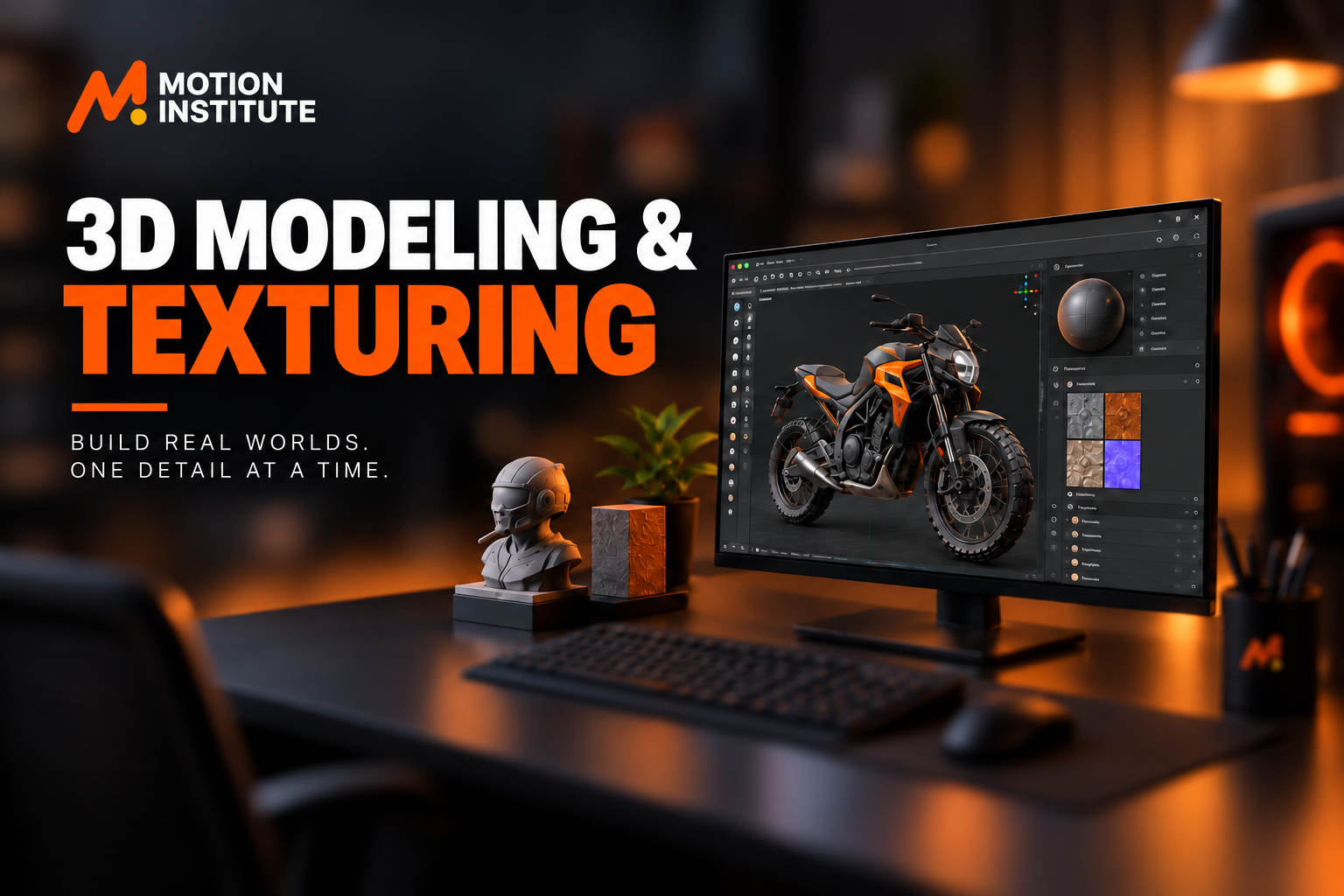
Imagine taking an idea from your mind and turning it into something you can actually see from every angle. A character, A car, A room, A product, or A game environment. Even an entire digital world. That is what you can learn in a 3D modeling course.
Today, 3D is no longer limited to large-scale animation studios or Hollywood films. People use it in gaming, animation, VFX, advertising, product visualization, architecture, AR/VR, digital marketing, and many other creative industries.
That is the power of 3D modeling and texturing. Today, 3D is no longer limited to large-scale animation studios or Hollywood films. People use it in gaming, animation, VFX, advertising, product visualization, architecture, AR/VR, digital marketing, and many other creative industries.
Games, animation, VFX, architecture, advertising, and product design all use 3D modeling software. If you enjoy designing and creating visual ideas, learning 3D modeling can lead to many creative career opportunities.
What Is 3D Modeling?
3D modeling is the process of creating 3D objects using special software. You can create almost anything, including products, furniture, characters, vehicles, buildings, and game environments.
Unlike 2D design, 3D modeling uses height, width, and depth, so you can view the object from different angles. People usually make a 3D model using elements such as:
- Vertices
- Edges
- Polygons
- Faces
- Curves
- Surfaces
The quality of a model depends on more than how it looks from one angle. Topology, good proportions, clean shapes, and smooth polygon flow matter too. This is key for animation or games.
What Is 3D Texturing?
3D texturing is the process of adding visual surface details to a 3D model. While modeling creates the shape of an object, texturing helps define how its surface looks and feels. For example, a basic 3D chair may have the correct shape after modeling. Texturing can make it appear to have:
- Wooden grain
- Fabric
- Leather
- Scratches
- Dust
- Metal
- Paint
- Rough or glossy surfaces
This is why 3D modeling and texturing are closely connected skills.
3D Modeling vs 3D Texturing: What Is the Difference?
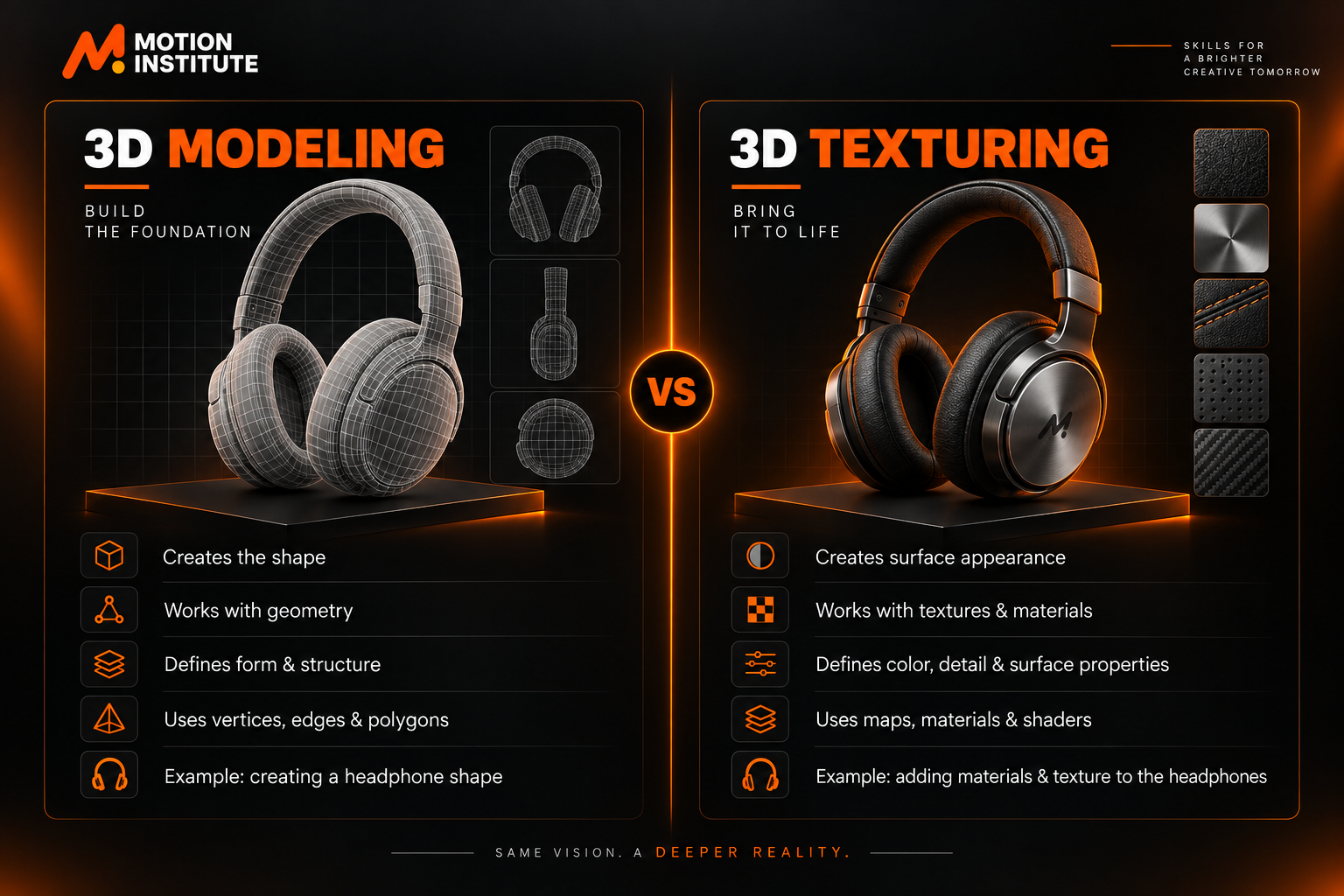
The easiest way to understand the difference is:
| 3D Modeling | 3D Texturing |
|---|---|
| Creates the shape | Creates surface appearance |
| Works with geometry | Works with textures and materials |
| Defines form and structure | Defines color, detail & surface properties |
| Uses vertices, edges & polygons | Uses maps, materials & shaders |
| Example: creating a shoe shape | Example: adding leather texture to the shoe |
In a professional workflow, both work together.
Modeling → UV Mapping → Texturing → Materials → Lighting → Rendering
Understanding this complete workflow is more useful than learning modeling as an isolated skill.
What Do You Learn in a 3D Modeling Course?
A 3D modeling course syllabus can vary by school, but a good course should cover the basics. It should also cover the full process of creating 3D models.
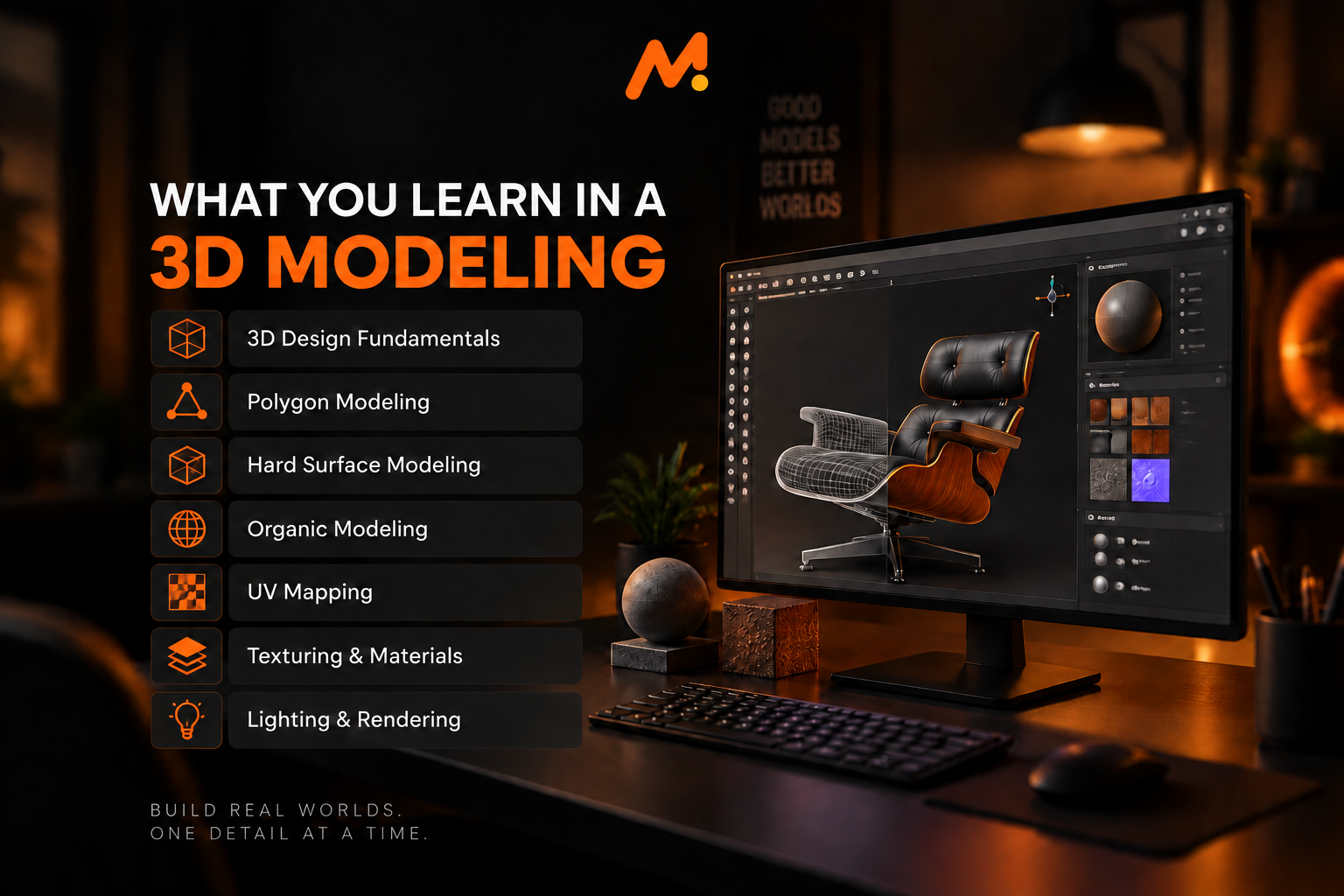
1. 3D Design Fundamentals
Before jumping into complex models, beginners need to understand:
- Shape and form
- Proportion
- Scale
- Perspective
- Composition
- Reference images
- Basic design principles
These fundamentals help you create models that look believable instead of simply making objects out of polygons.
2. Polygon Modeling
Polygon modeling is one of the most commonly used approaches for creating 3D assets. You learn how to work with:
- Vertices
- Edges
- Faces
- Extrusion
- Inset
- Bevel
- Loop cuts
- Edge flow
Clean topology matters especially when you need to animate, rig, or optimize a model for real-time use.
3. Hard Surface Modeling
Hard surface modeling is used to create objects with rigid or manufactured surfaces. Examples include:
- Cars
- Electronics
- Furniture
- Machines
- Weapons
- Vehicles
- Industrial products
- Architectural elements
This area is useful for game assets, product visualization, design visualization, and many other applications.
4. Organic Modeling
Organic modeling focuses on naturally shaped subjects such as:
- Characters
- Animals
- Creatures
- Plants
- Human forms
Organic modeling often requires a stronger understanding of anatomy, proportions, sculpting, and surface detail.
5. UV Mapping
A 3D model needs properly arranged surface coordinates before textures can be applied effectively. UV mapping turns a 3D object’s surface into a 2D layout. This lets you place textures accurately. Good UVs help reduce:
- Texture stretching
- Visible seams
- Distortion
- Unnecessary texture space
6. Texturing and Materials
After modeling and UV mapping, the next step is making the object visually believable. Depending on the workflow, you may work with:
- Base color
- Roughness
- Metallic values
- Normal maps
- Height or displacement
- Surface details
- Material properties
For realistic assets, understanding how different surfaces react to light is just as important as adding color.
7. Lighting and Rendering
A well-made model can still look weak if the lighting and rendering are poor. Students can learn the basics of:
- Light placement
- Shadows
- Reflections
- Scene composition
- Camera setup
- Render settings
- Realistic presentation
The final render brings the complete asset and scene together.
What Is the 3D Modeling Workflow?
A professional 3D workflow usually follows a sequence rather than creating everything at once.
Step 1: Reference and Planning
Start with reference images and understand the object before modeling it.
Step 2: Blocking
Create the basic shapes and proportions first.
Step 3: Detailed Modeling
Refine the geometry and add important forms.
Step 4: Topology Optimization
Clean up the geometry and create appropriate edge flow.
Step 5: UV Unwrapping
Prepare the model’s surface for texturing.
Step 6: Texturing
Add colors, patterns, wear, scratches, and other surface details.
Step 7: Materials and Shaders
Define properties such as roughness, reflectivity, and metallic appearance.
Step 8: Lighting
Set up lights to reveal the model and create the desired mood.
Step 9: Rendering
Generate the final image or output from the 3D scene.
Step 10: Presentation
Create portfolio-ready renders or prepare the asset for its intended use.
Reference → Modeling → Topology → UV → Texturing → Materials → Lighting → Rendering
Learning this complete pipeline can help beginners understand how individual skills fit into real production work.
Which Software is Used for 3D Modeling?
The software you learn depends on your career direction and the type of 3D work you want to create. Common tools used across different 3D workflows include:
- Blender — modeling, sculpting, animation, materials and rendering
- Autodesk Maya — modeling, animation, rigging and VFX workflows
- 3ds Max — modeling, visualization and architectural workflows
- ZBrush — digital sculpting and high-detail character/organic work
- Substance 3D tools — texturing and material creation
- Unreal Engine — real-time 3D, visualization and game environments
- Unity — interactive 3D and game development
You do not necessarily need to master every software package. A better approach is to build strong 3D fundamentals first and then specialize according to your career goal.
Where Is 3D Modeling Used?
3D modeling is not limited to animation studios. Several creative and technical industries use it.
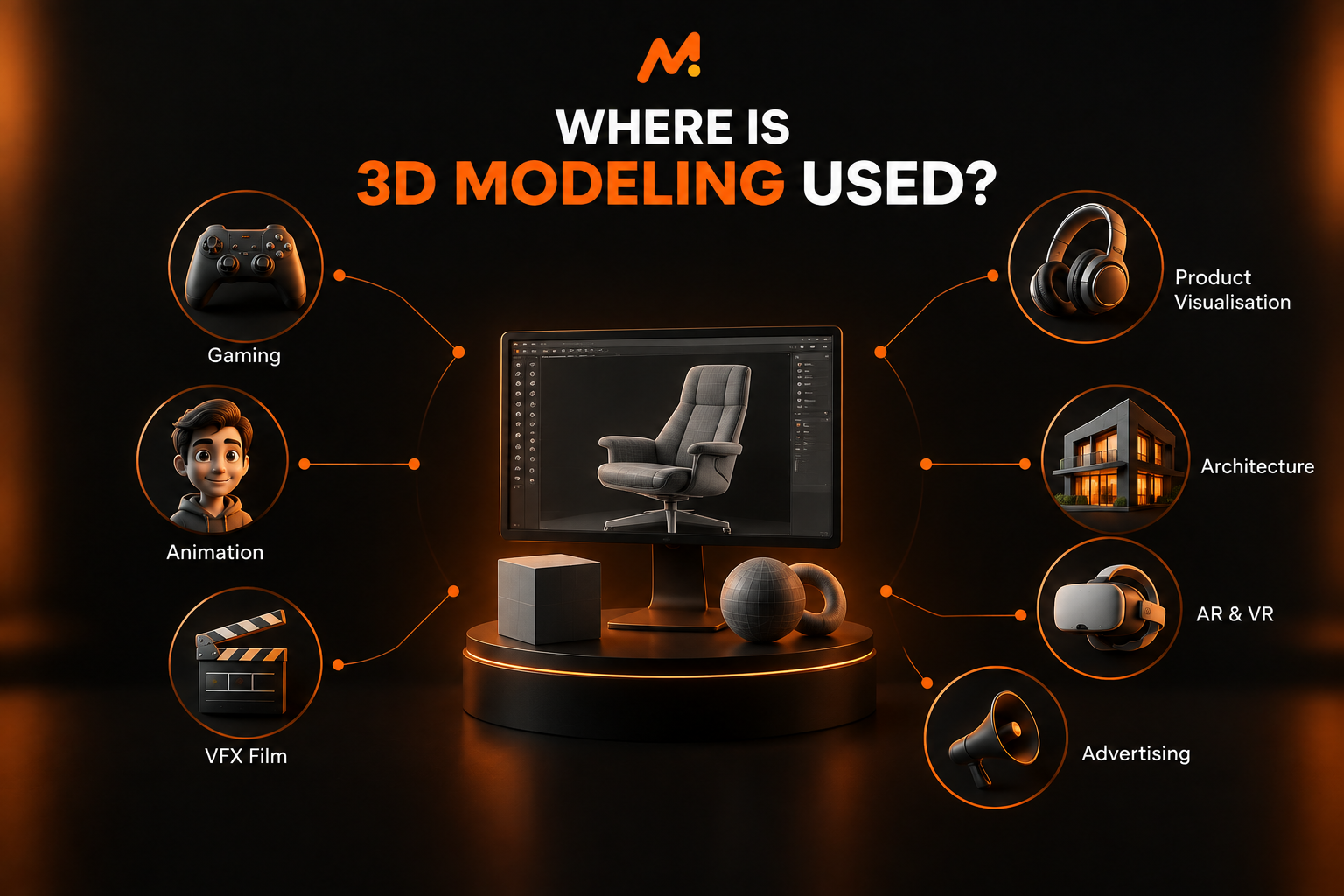
3D Modeling for Gaming
Game developers use 3D models to create:
- Characters
- Weapons
- Vehicles
- Buildings
- Props
- Environments
- Game assets
Game assets also need to consider polygon count, topology, UVs, textures, and real-time performance.
3D Modeling course for Animation
Animated films, series, and digital content depend on 3D models for characters, environments, and props. A model may later move through a pipeline involving:
Modeling → Rigging → Animation → Lighting → Rendering
3D Modeling course for VFX and Film
VFX artists use 3D assets to create digital environments. They also create creatures, vehicles, objects, and effects. These things are difficult or impossible to make in real life.
3D Modeling for Product Visualization
Companies can use 3D models to present products before or alongside physical production. This can be useful for:
- Product advertisements
- E-commerce visuals
- Product demonstrations
- Packaging concepts
- Marketing campaigns
3D Modeling for Architecture
Architectural visualization uses 3D models to communicate spaces, interiors, exteriors and design concepts before construction.
3D Modeling for Advertising
Brands use 3D assets for product commercials, social media campaigns, explainer visuals, and creative advertisements.
3D Modeling for AR and VR
Immersive technologies require digital 3D assets for virtual environments, interactive experiences, simulations, and visualization.
Is 3D Modeling a Good Career Option?
3D modeling can open different creative career options based on your skills and specialization. Some common career paths include:
3D Modeler
Creates 3D objects, environments, props, or other digital assets.
Character Artist
Creates detailed characters for games, animation, VFX, and other visual projects.
Environment Artist
Builds locations, landscapes, buildings, and complete digital environments.
Game Asset Artist
Creates optimized objects and assets designed for game engines.
3D Visualization Artist
Creates realistic visualizations for products, architecture, interiors, and other projects.
3D Generalist
Works across multiple areas such as modeling, texturing, lighting, and rendering.
Product Visualization Artist
Creates realistic 3D representations of products for advertising and presentation. Your career direction will usually depend on your portfolio, technical skills, specialization, and ability to complete production-ready projects.
Can I Do a 3D Modeling Course After 12th?
Yes, you can start learning 3D modeling after 12th. You don’t need advanced skills to begin.
Start with the basics, such as shapes, proportions, modeling tools, and 3D software. A simple learning path is:
3D Fundamentals → Modeling → UV Mapping → Texturing → Materials → Lighting → Rendering → Portfolio
Students from creative, design, or other backgrounds can explore 3D. They can do this if they enjoy digital design and visual creation.
Do You Need Drawing Skills for 3D Modeling?
Basic drawing ability can help, but advanced drawing skills are not a strict requirement for starting 3D modeling. What matters more is developing an understanding of:
- Shape
- Form
- Proportion
- Perspective
- Reference analysis
- Observation
- Design
To focus on character modeling or concept work, it helps to improve your drawing skills. Learning anatomy can be especially useful too.
How Long Does It Take to Learn 3D Modeling?
There is no fixed time to learn 3D modeling. It depends on your practice, the software you use, and the type of projects you want to create. Beginners can start by focusing on:
Month 1: Interface, navigation, and basic modeling
Next stage: Hard-surface or organic modeling fundamentals
Next stage: Topology and UV mapping
Next stage: Texturing, materials, and lighting
Advanced stage: Complete projects and portfolio development
The important goal should not be simply “finish the software.” Instead, aim to become capable of taking an idea from reference to a finished 3D asset.
What is Included in a 3D Modeling Course Syllabus?
A practical syllabus may include:
- Introduction to 3D design
- 3D software fundamentals
- Polygon modeling
- Hard surface modeling
- Organic modeling
- Topology
- UV mapping
- Digital sculpting
- Texturing
- Materials and shaders
- Lighting
- Rendering
- Asset optimization
- Project development
- Portfolio presentation
The exact modules depend on the institute and the specialization of the program.
When comparing courses, look beyond the number of topics. Check whether you actually get enough practical project work to apply those topics.
What Are 3D Modeling Course Fees?
3D modeling course fees vary depending on the institute, course duration, syllabus, software training, practical sessions, projects, and certification. Instead of choosing a course only by its fee, compare:
- Course duration
- Syllabus
- Software covered
- Practical training
- Number of projects
- Portfolio development
- Faculty experience
- Class size
- Feedback and mentorship
- Certification
- Career guidance
A lower fee does not always mean better value, just as a higher fee does not always mean better training. The right comparison is what skills, practice, and support you receive for the overall course cost.
| 3D Modeling Course Type | Approx. Duration | Approx. Fees |
|---|---|---|
| Basic 3D Modeling Course | 1–2 Months | ₹8,000–₹15,000 |
| Professional 3D Modeling & Texturing | 3–4 Months | ₹15,000–₹30,000 |
| Advanced 3D Modeling Course | 4–6 Months | ₹25,000–₹40,000 |
| Advanced Diploma / Comprehensive Program | 6+ Months | ₹35,000–₹60,000+ |
Direct answer: In India, a 3D modeling course can cost about ₹8,000 to ₹60,000 or more. Prices vary by course length, software used, hands-on training, projects, and specialization level.
Note: These are approximate market-level ranges, not fixed Motion Institute fees. For the latest institute fees, confirm directly with Motion Institute.
How to Choose the Right 3D Modeling Course?
Before enrolling in a 3D modeling course, ask these questions:
Does the syllabus cover the complete workflow?
Look for modeling, topology, UV mapping, texturing, materials, lighting, and rendering—not just software basics.
Will I work on real projects?
Projects allow you to apply individual skills together.
Will I build a portfolio?
A portfolio is important because it demonstrates what you can actually create.
Which software will I learn?
Choose software based on the field you want to enter. Do not pick a course just because it lists many tools.
Will I receive feedback?
Instructor feedback can help identify problems in topology, proportions, textures, lighting, and presentation.
Does the course teach industry workflows?
Knowing where modeling fits into a larger production pipeline can make learning more practical.
What Should a Beginner Put in a 3D Portfolio?
A portfolio should demonstrate quality and range, not simply contain a large number of unfinished models. A beginner can include:
- Hard-surface model
- Product model
- Environment asset
- Character or organic model
- Textured asset
- Material study
- Final rendered scene
- Before-and-after process
- Wireframe and topology breakdown
For each project, showing the process can be valuable:
Reference → Blockout → Modeling → Wireframe → UV → Texturing → Final Render
This helps demonstrate that you understand the process instead of only producing a final image.
Common Mistakes Beginners Make in 3D Modeling
Learning 3D becomes easier when you know what to avoid.
1. Starting With Complex Characters
Beginners often start with complex characters. Starting with simple objects and slowly moving to more detailed projects is better.
2. Ignoring Topology
A model may look good from one angle but still have poor geometry. Learn clean topology early.
3. Depending Too Much on Tutorials
Tutorials are helpful, but don’t just copy every step. After learning a technique, try creating something on your own without the tutorial. This will improve your problem-solving skills.
4. Skipping References
Professional-looking models usually begin with research and references.
5. Focusing Only on Software
Knowing where a button is does not make someone a good 3D artist. Develop your understanding of form, proportion, topology, materials, and visual presentation.
6. Creating Too Many Unfinished Projects
A few well-made projects can show your skills better than many unfinished models.
3D Modeling Course in Kotdwar, Uttarakhand
If you are looking for a 3D modeling course in Kotdwar, choose an institute that focuses on practical training. Students from nearby areas, like Haridwar, Rishikesh, and Dehradun, can look for a course that offers:
- Structured 3D modeling training
- Practical software learning
- Modeling and texturing
- Project-based assignments
- Portfolio development
- Instructor feedback
- Industry-oriented workflows
- Career guidance
For searches like 3D modeling institutes, classes, or training in Kotdwar and Uttarakhand, check the course syllabus. Review student work before you choose a course. This can give you a better idea of the training than advertisements alone. Motion Institute offers courses like Video editing, Graphic design, Digital Marketing, Motion Graphics & more.
Learn 3D Modeling & Texturing at Motion Institute
Motion Institute offers industry-focused courses in animation, graphic design, video editing, VFX, motion graphics, and digital arts. Its courses include Diploma in 3D Modeling and Texturing and Diploma in 3D Modeling and Animation.
The institute focuses on live projects, expert training, portfolio building, and career guidance. For a learner interested in 3D, the important part is not simply learning software. The goal is to understand the full process.
It starts with creating geometry and clean topology. It includes UV mapping, texturing, and materials. It also covers lighting and final presentation.
3D Modeling vs 3D Animation: What’s the Difference?
These two fields connect, but they focus on different stages of the creative process. 3D Modeling focuses on creating objects, characters, or environments. 3D Animation focuses on giving movement to digital assets.
For example:
Modeling: Create a 3D character
↓
Texturing: Add skin, clothes, and surface details
↓
Rigging: Create a digital skeleton
↓
Animation: Create movement
↓
Lighting & Rendering: Produce the final visual
Someone who mainly wants to create digital assets may prefer modeling. Someone who likes movement and storytelling may explore animation more deeply.
FAQ: 3D Modeling & Texturing Course
What is a 3D modeling course?
A 3D modeling course teaches you how to create 3D objects, characters, and environments. It may also cover topology, UV mapping, texturing, materials, lighting, and rendering.
Is 3D modeling difficult for beginners?
It can be challenging at first because you need to learn 3D concepts and software. Start with basic shapes, simple projects, and regular practice to make learning easier.
Which software is best for 3D modeling?
No single software is best for every 3D career. Artists use Blender, Maya, 3ds Max, and ZBrush for different types of work. The right software depends on your skills and the projects you want to create.
Can I learn 3D modeling after 12th?
Yes. You can start learning 3D modeling after 12th. You don’t need any advanced experience. Basic computer skills and an interest in design will help you start.
Do I need drawing skills for 3D modeling?
You don’t need advanced drawing skills to start 3D modeling. But knowing shapes, proportions, perspective, and observation can help you create better models.
What is the difference between 3D modeling and texturing?
Modeling creates the shape and geometry of an object, while texturing creates its surface appearance and details. Both are important for creating convincing 3D assets.
How long does it take to learn 3D modeling?
The learning time depends on the learner, software, and specialization. Beginners can start with basic modeling and gradually learn topology, UV mapping, texturing, materials, lighting, and portfolio projects.
What is taught in a 3D modeling course syllabus?
A practical course can cover 3D basics, polygon modeling, hard-surface and organic modeling, topology, UV mapping, texturing, materials, lighting, rendering, and projects.
Is 3D modeling used in gaming?
Yes. Game studios use 3D modeling to create characters, environments, props, vehicles, weapons, and other game assets. You also need to optimize these assets for smooth game performance.
Is 3D modeling used in VFX?
Yes. VFX artists widely use 3D models for digital characters, environments, creatures, vehicles, objects, and visual effects workflows.
What career options are available after 3D modeling training?
Depending on your skills and specialty, you can work as a 3D Modeler or Character Artist. You can also work as an Environment Artist, Game Asset Artist, or 3D Visualization Artist. Other roles include Product Visualization Artist or 3D Generalist.
Where can I learn 3D modeling in Kotdwar?
You can learn 3D modeling at Motion Institute, Kotdwar, with practical training in 3D modeling, texturing, and animation. Check the syllabus, software training, hands-on projects, portfolio support, faculty guidance, and the learning approach.
Start Your Journey Into 3D
3D modeling is more than learning how to create objects on a computer. It combines design thinking, observation, technical skills, and creativity to turn an idea into a digital asset.
Whether you enjoy gaming, animation, VFX, product design, architecture, advertising, or digital art, learning 3D modeling matters. Learning the basics of modeling and texturing gives you a strong foundation. The best place to start is simple:
Learn the fundamentals. Practice consistently. Build projects. Improve your portfolio.
And as your skills grow, move from creating simple objects to building complete, polished 3D assets.
Your next 3D creation could start with a single idea.
